Skip to content
RoseBook logoRoseBook

Salon software · Sri Lanka

RoseBookSalon management software built for Sri Lanka

Take salon appointment bookings online, keep every client's history in one place, roster your stylists, watch your stock, and bill in Sri Lankan Rupees — from a single system your whole team can use on any phone.
  • Dashboard
  • Appointments
  • Clients
  • Services
  • Staff
  • Inventory
  • POS
  • Sales
  • Expenses
  • Reports
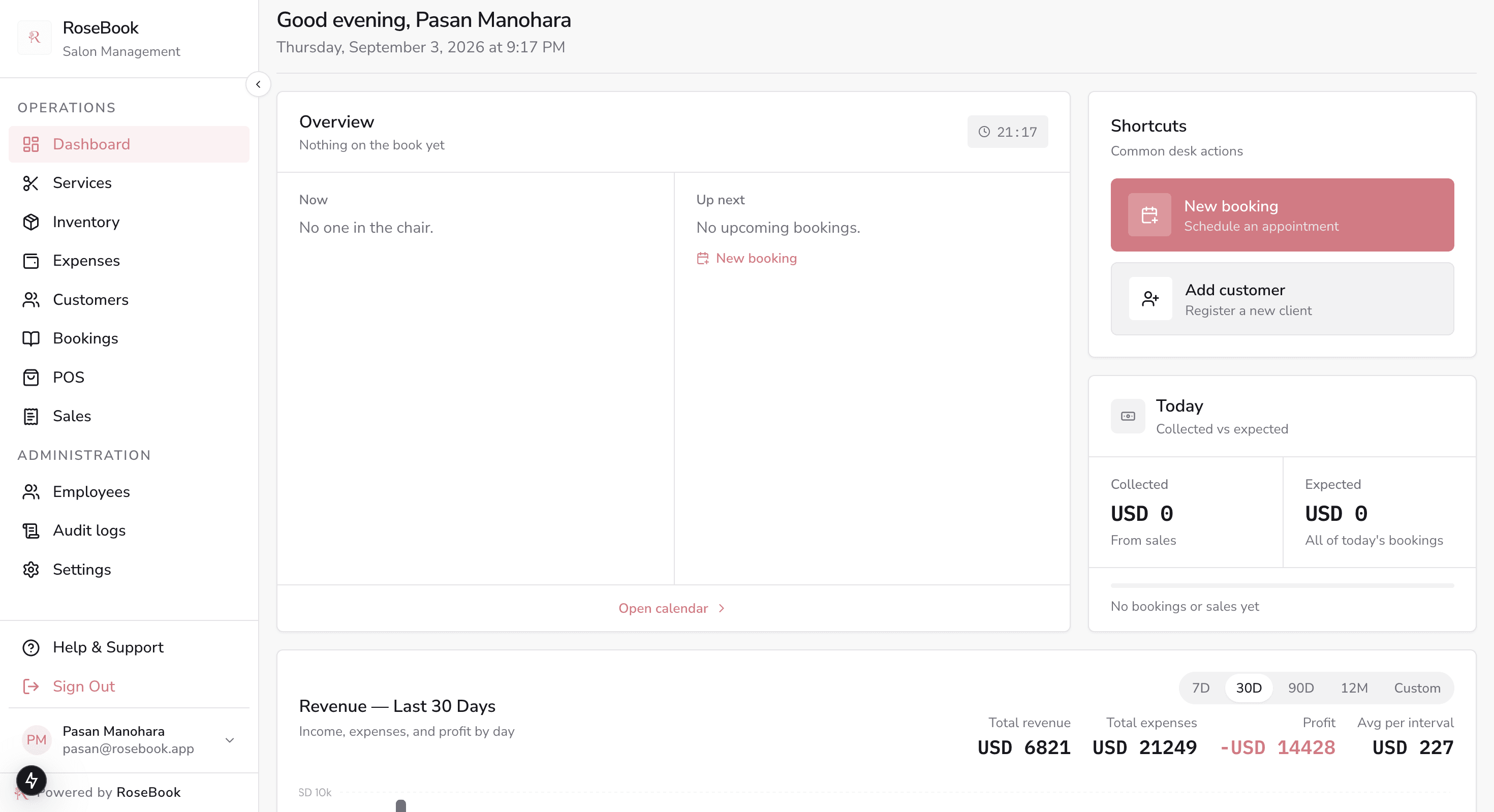
Dashboard · Today's revenue, bookings and low-stock alerts
RoseBook dashboard showing today's revenue, bookings, low-stock alerts and a 30-day revenue versus expenses chart
Built for
Salons, spas & barbershops
Billing in
Sri Lankan Rupees
Clients book on
WhatsApp & web
Runs on
Any phone or laptop

Salon problems, solved

What slows a salon down — and what changes with RoseBook

Swap scattered chats, paper diaries and guesswork for one connected salon management system.

Missed and double-booked appointments

Before
No-shows and clashes hide inside WhatsApp threads and a paper diary.
With RoseBook
A shared salon calendar with Today and List views, statuses, SMS reminders and one-tap reschedule.

Client details scattered everywhere

Before
Names, allergies and colour formulas live in phones, notebooks and memory.
With RoseBook
A client book with full visit history, photos, notes, loyalty points and spend per customer.

Running out of stock mid-service

Before
Colour, polish and retail run out before anyone notices at the counter.
With RoseBook
Inventory with low-stock and expiry statuses, plus alerts surfaced on the dashboard.

Slow, error-prone checkout

Before
Services and retail are tallied by hand, then rewritten into a cash book.
With RoseBook
Checkout opens the POS pre-filled in LKR with discounts, tax and a printed or SMS invoice.

Price lists that drift out of date

Before
Printed menus no longer match what the salon actually charges.
With RoseBook
One service menu feeds the public price chart and the online booking page instantly.

No clear view of the money

Before
Revenue and costs sit in separate spreadsheets — or nowhere at all.
With RoseBook
Daily revenue, expenses and average ticket value charted side by side in Sri Lankan Rupees.

Features

Every part of your salon, connected around the appointment book

Front desk, stylists and owners work from the same data — no exports, no re-typing, no second spreadsheet.

Dashboard · Today's revenue, bookings and low-stock alerts
RoseBook dashboard showing today's revenue, bookings, low-stock alerts and a 30-day revenue versus expenses chart

Dashboard

Open every shift with today's numbers and schedule in front of you.

  • Today's revenue, bookings, average ticket value and low-stock alerts
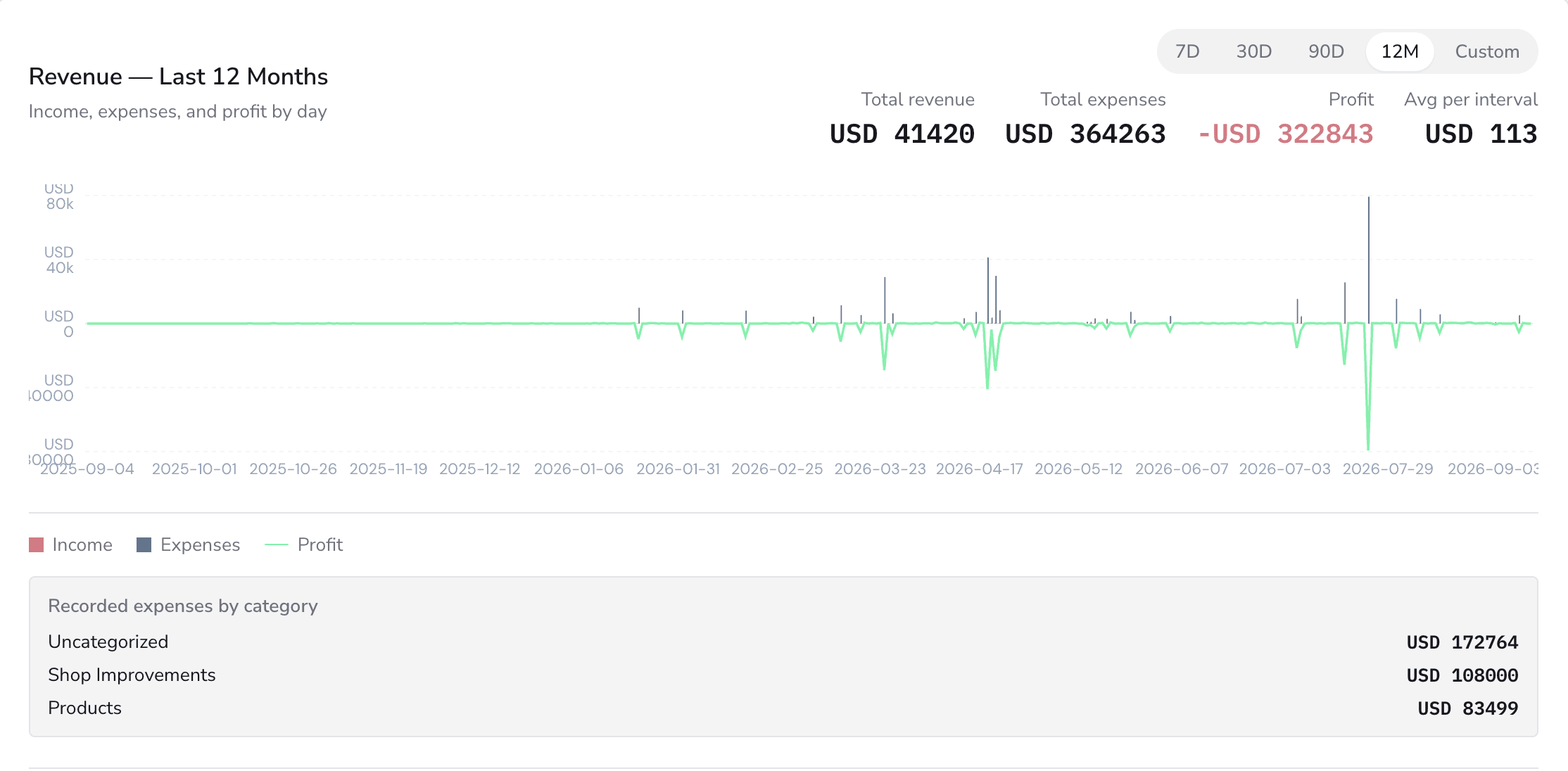
  • Revenue versus expenses charts across any date range
  • Shortcuts to new booking, POS, add customer and inventory

Appointments

Salon appointment booking across calendar, today and list views.

  • Create bookings with customer, services, stylist and notes
  • Statuses for confirmed, in progress, completed, cancelled and no-show
  • Confirm, reschedule, cancel, send SMS or push straight to checkout

Clients

A living client book instead of a contact dump.

  • Profiles with phone, WhatsApp, email, photo and private notes
  • Visit count, loyalty points, last visit and lifetime spend
  • History, SMS thread, before-and-after photos and notes tabs

Services & pricing

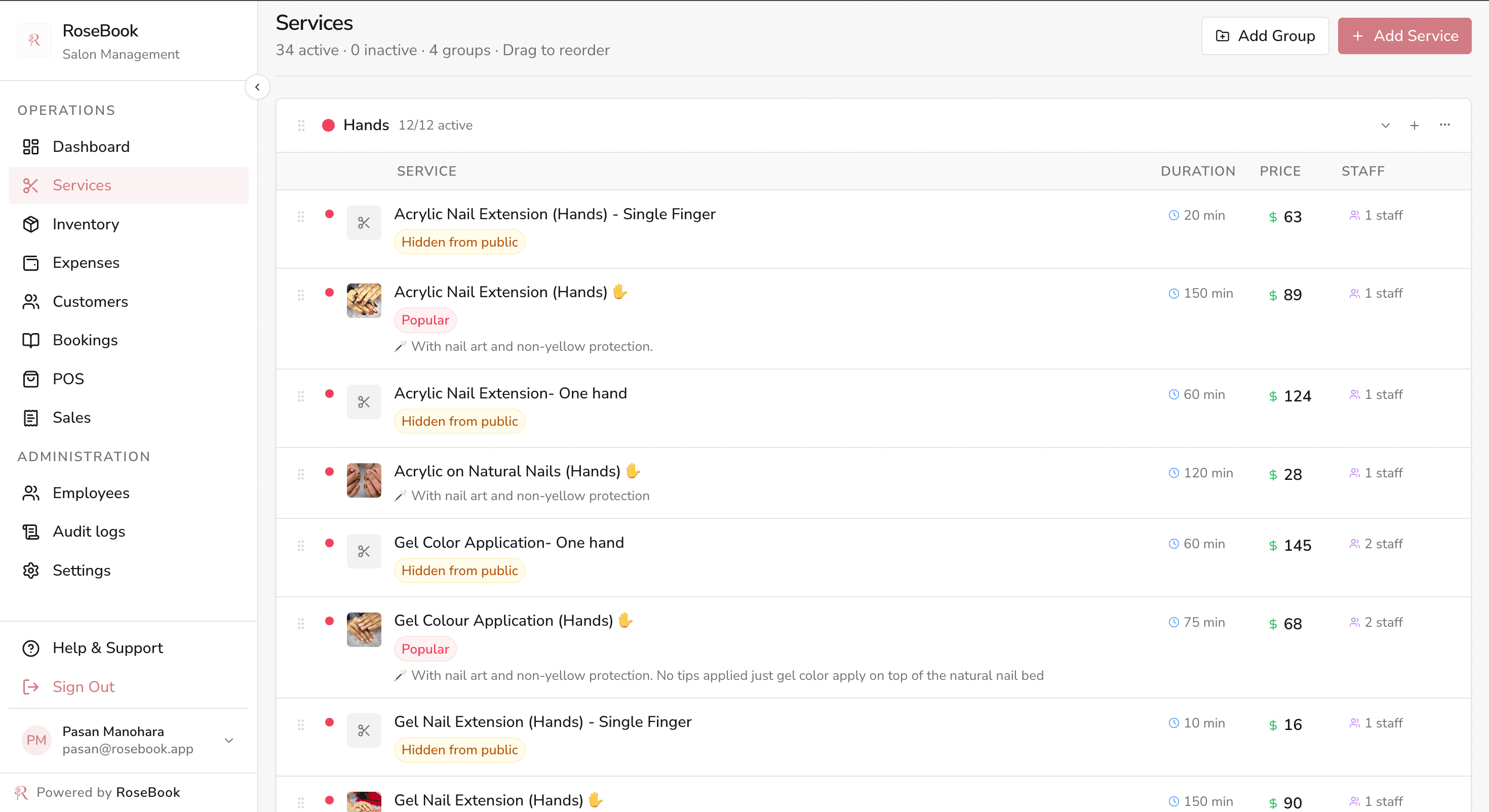
Your live salon menu — groups, prices, durations and photos.

  • Reorder service groups and individual treatments
  • Flag popular services or hide them from public booking
  • Assign stylists and link the products each service consumes

Staff & rosters

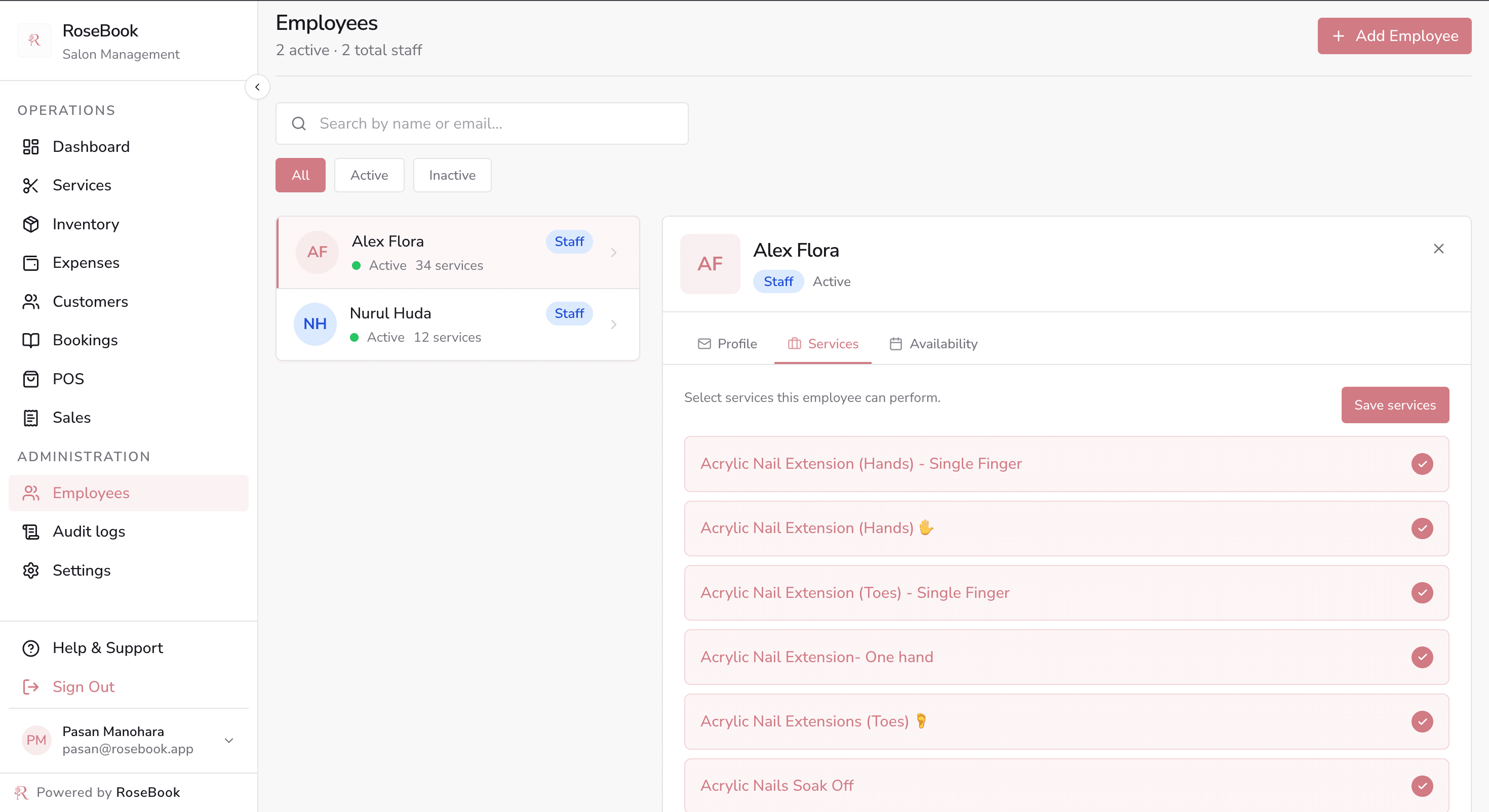
Who does what, and exactly when they are available.

  • Roles for stylists, managers and administrators
  • Per-stylist service assignments so the book matches skills
  • Weekly availability hours that drive bookable slots

Inventory

Track salon stock before it runs out on a busy Saturday.

  • Stock levels, cost, sell price, SKU, brand and expiry dates
  • In stock, low stock, out of stock and expiring soon statuses
  • Purchase orders, stock adjustments and categories

POS & billing

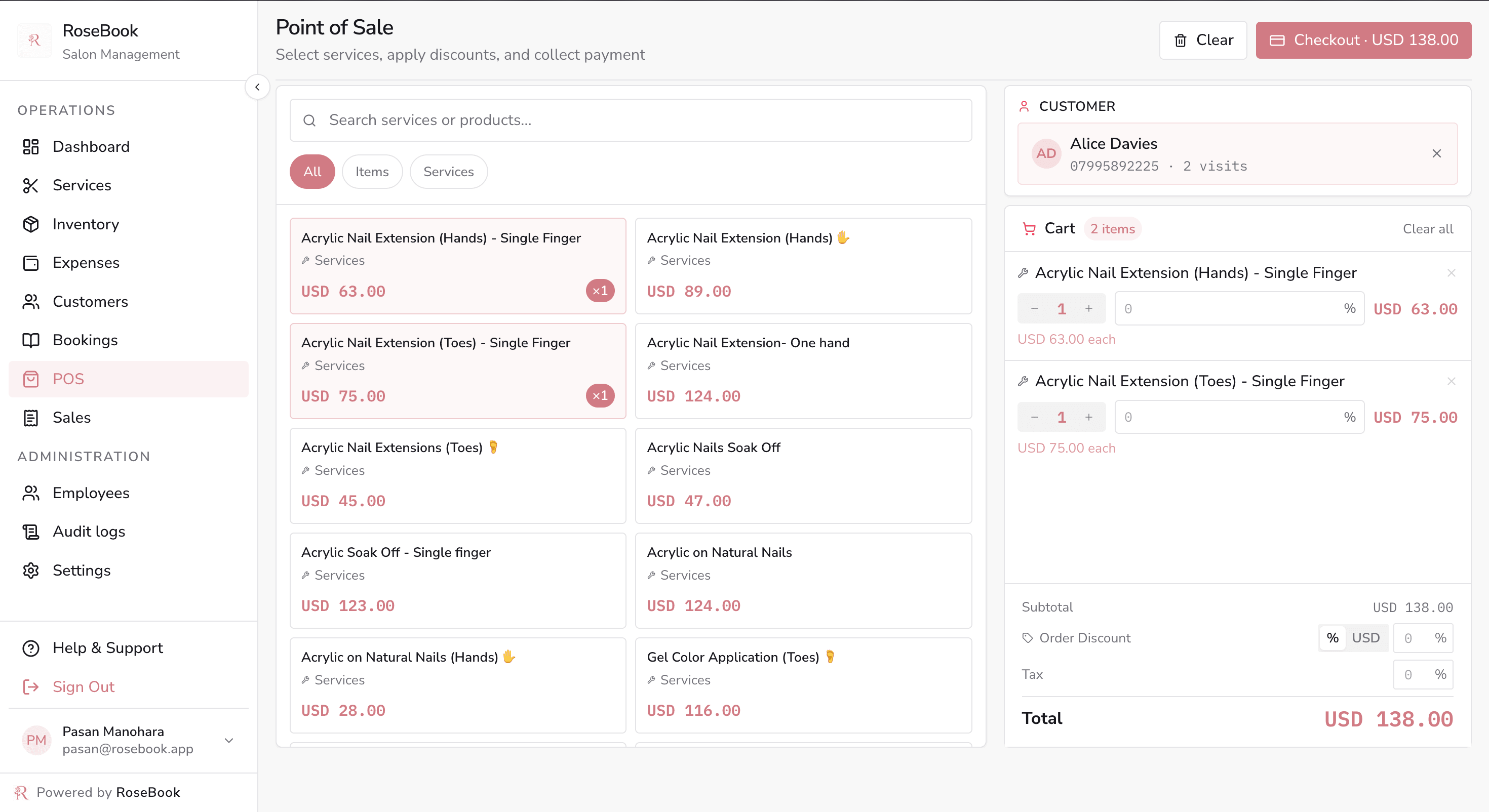
Finish the appointment at the chair — or serve a walk-in.

  • Sell services and retail together; cash, card or digital wallet
  • Discounts, tax, printed invoices and optional SMS receipts
  • Sales history with refunds and status filters

Expenses & settings

Costs, salon configuration and a full activity trail.

  • Expense categories with receipt photos attached
  • Company details, branding, currency and opening hours
  • Custom booking and client note forms, plus audit logs

From scattered chats to one salon appointment book

Calendar, today and list views replace double-bookings and lost notes, with statuses, SMS reminders and one-tap checkout.
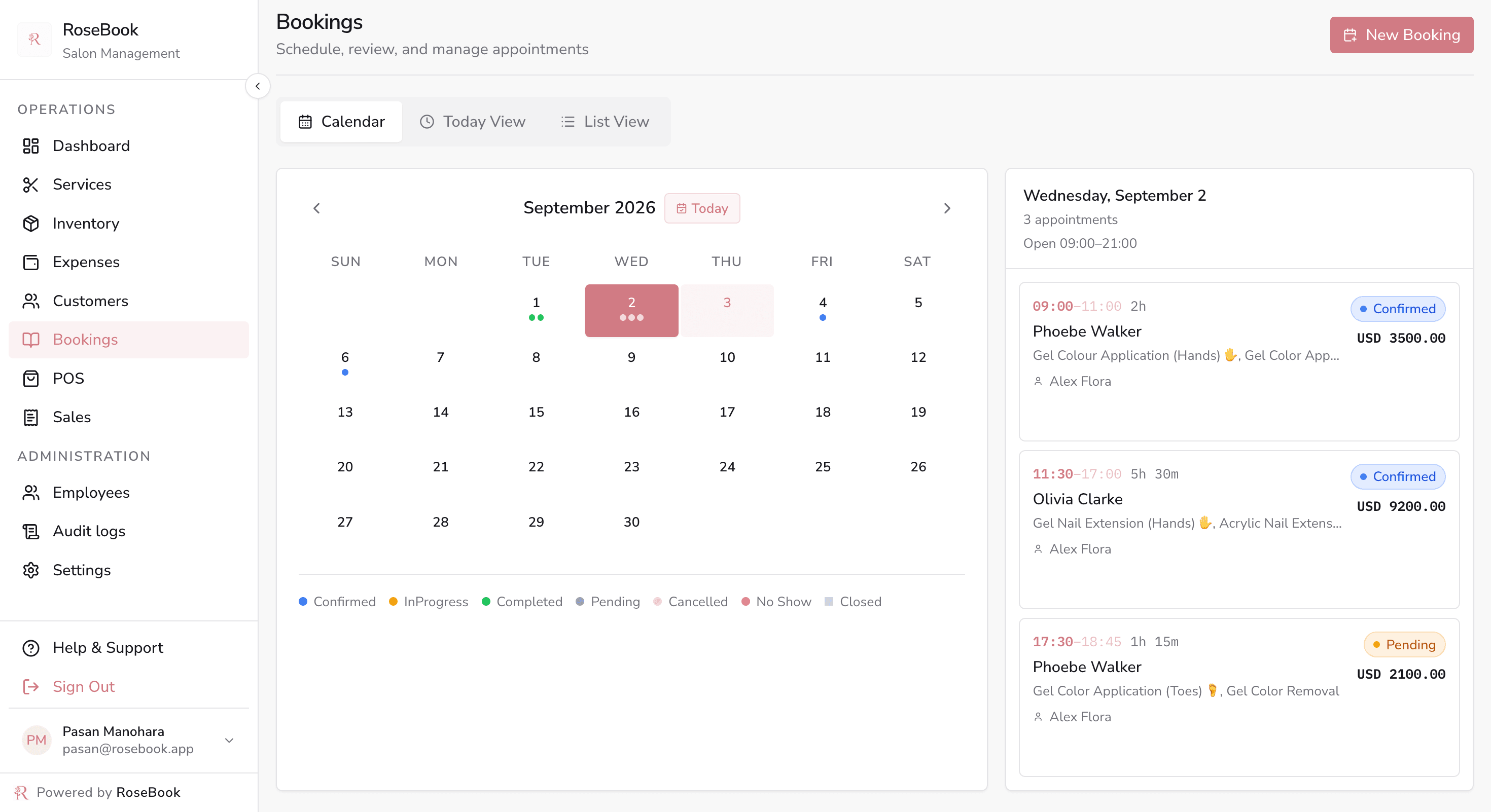
Calendar · The shared salon appointment book
RoseBook bookings calendar for September with colour-coded appointment statuses and the selected day's appointments

Appointment to checkout to paid, in one flow

Complete an appointment and the point of sale opens pre-loaded — or ring up a walk-in directly from the dashboard.
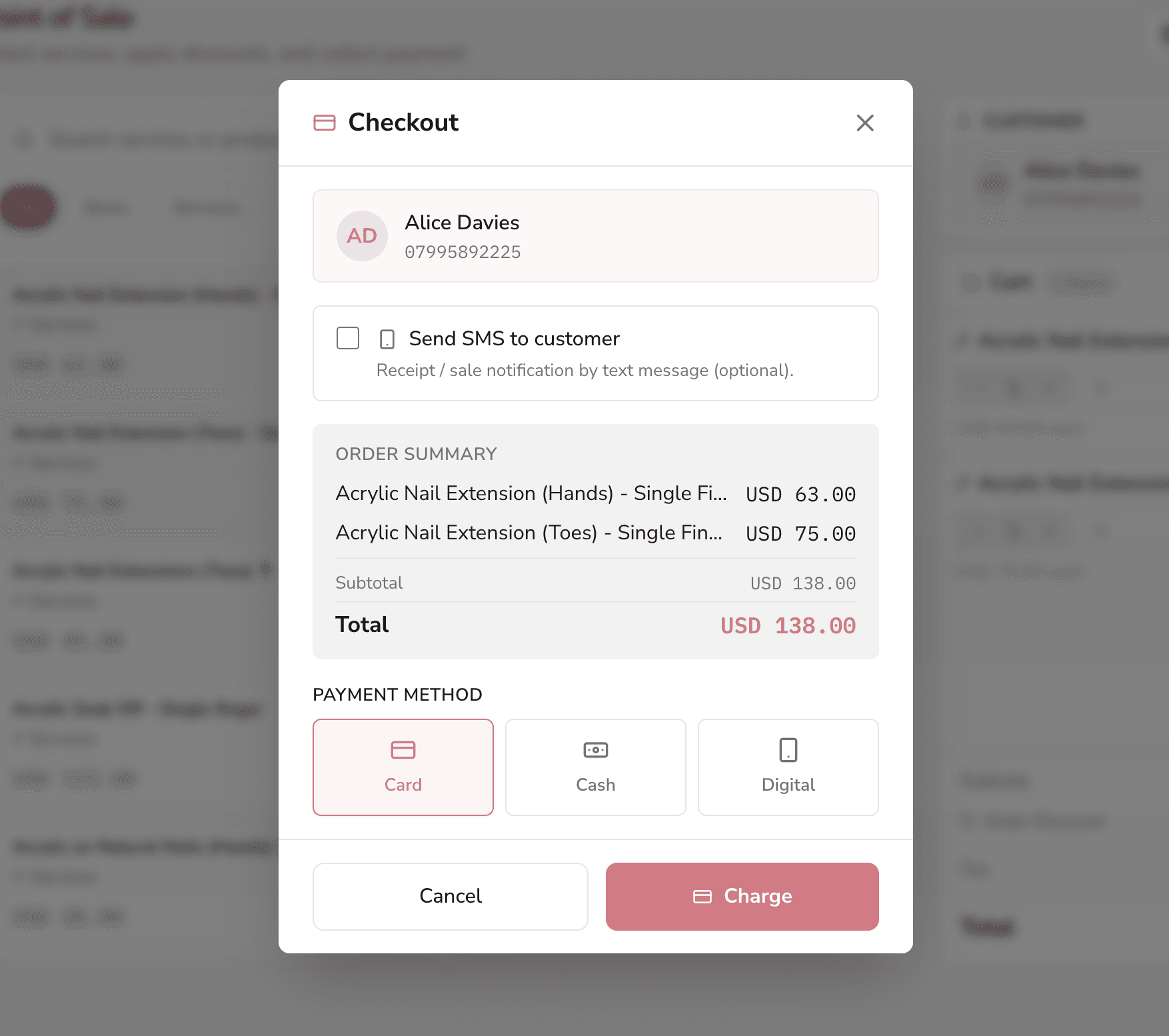
Checkout · Card, cash or digital — then SMS the receipt
RoseBook checkout dialog with customer details, order summary, card cash or digital payment, and optional SMS receipt

Customer online booking

From choosing a service to a confirmed visit — all on their phone

Give clients a simple, branded booking journey they can finish without calling the salon. RoseBook shows live availability, verifies the customer by SMS and keeps the appointment details close at hand.

  1. 1

    Choose services

    Clear prices, durations and service details
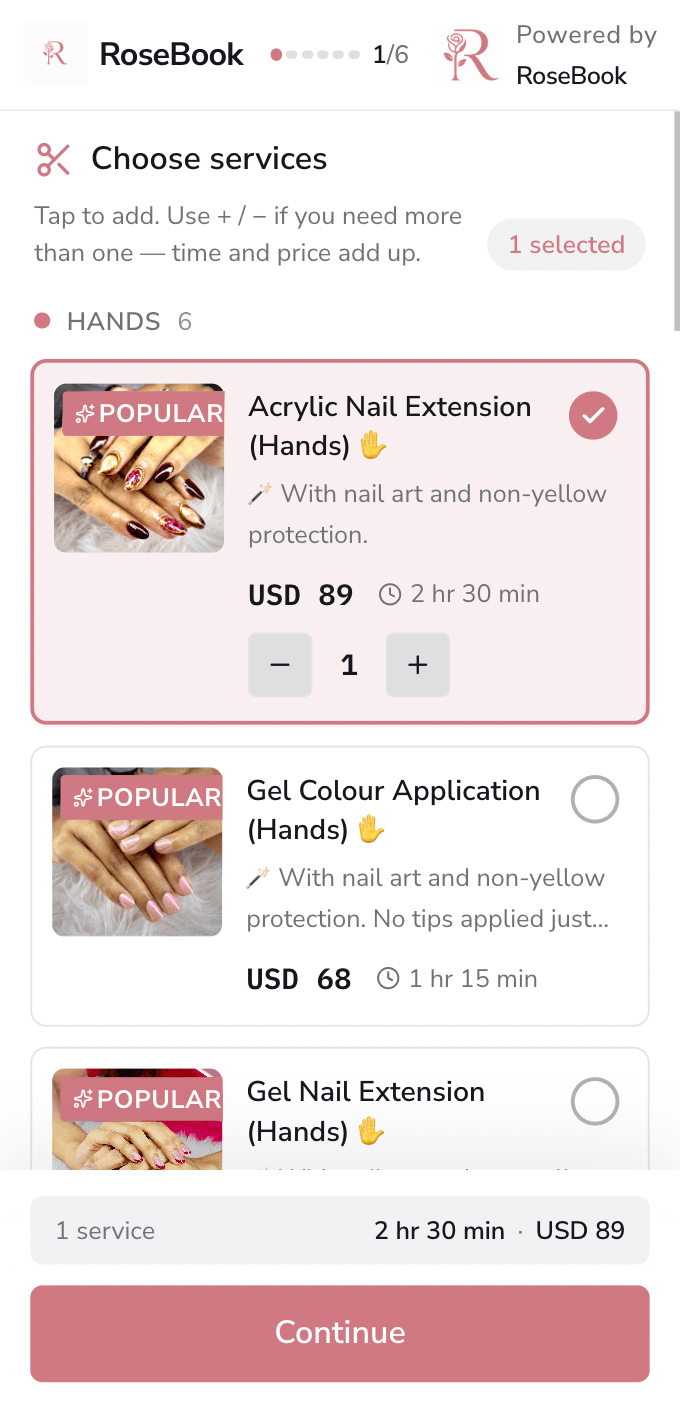
    RoseBook mobile booking page where a customer selects salon services and quantities
  2. 2

    Pick a time

    Only available dates and time slots are shown
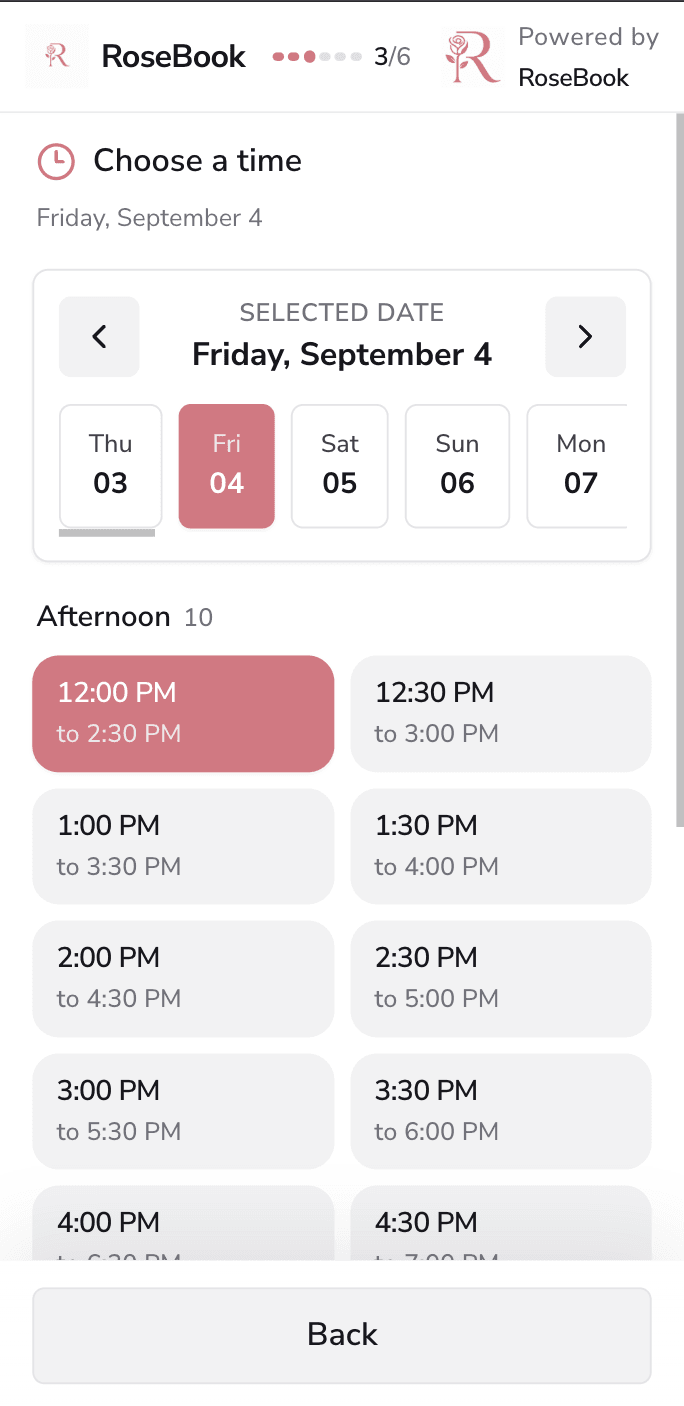
    RoseBook mobile booking page showing available dates and appointment times
  3. 3

    Add details

    A short, mobile-friendly customer form
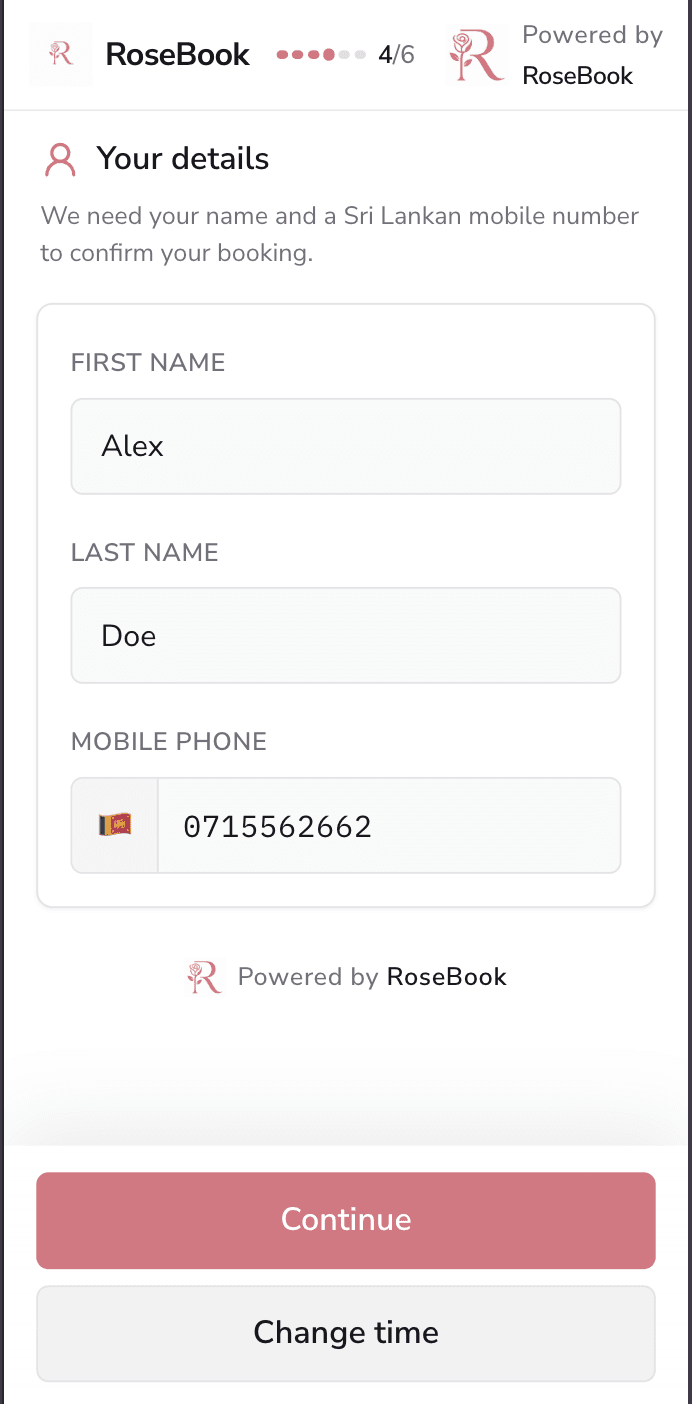
    RoseBook mobile booking form for the customer name and Sri Lankan mobile number
  4. 4

    Review booking

    Change services, time or details before booking
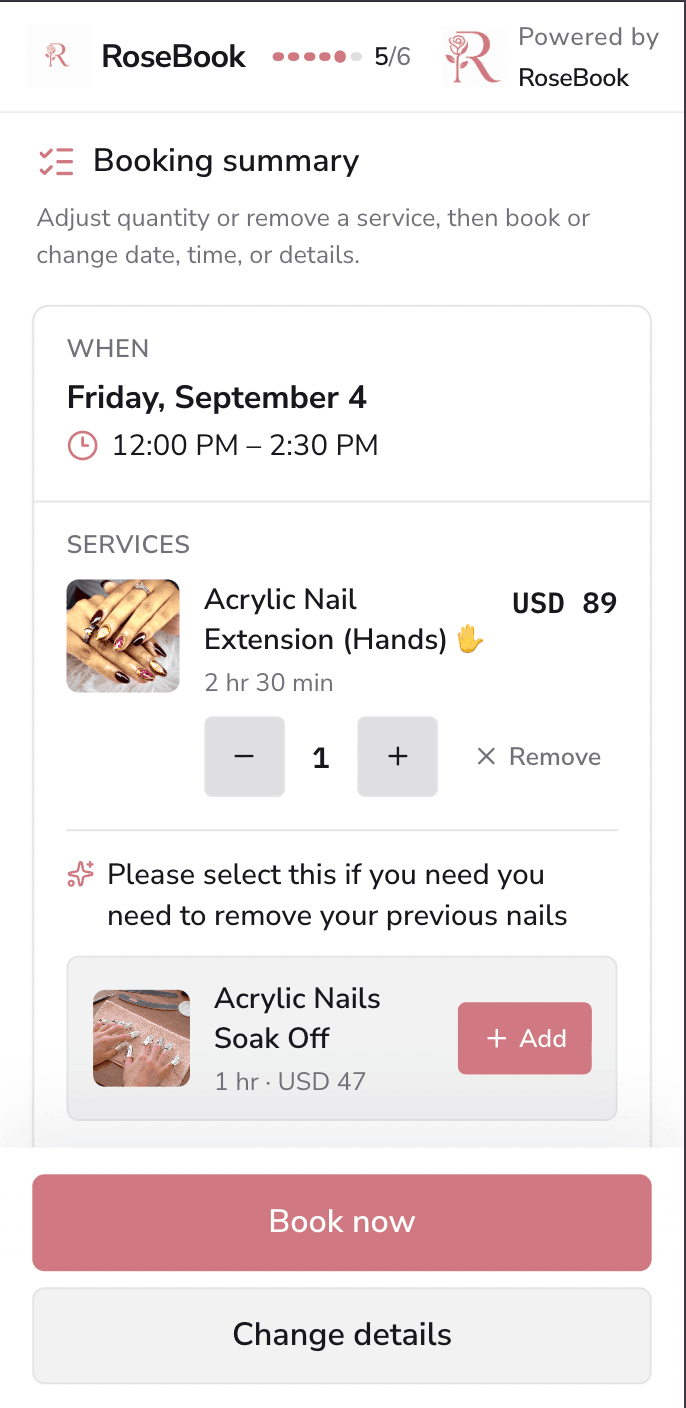
    RoseBook mobile booking summary with appointment time, selected service and total
  5. 5

    Verify by SMS

    A one-time code confirms the mobile number
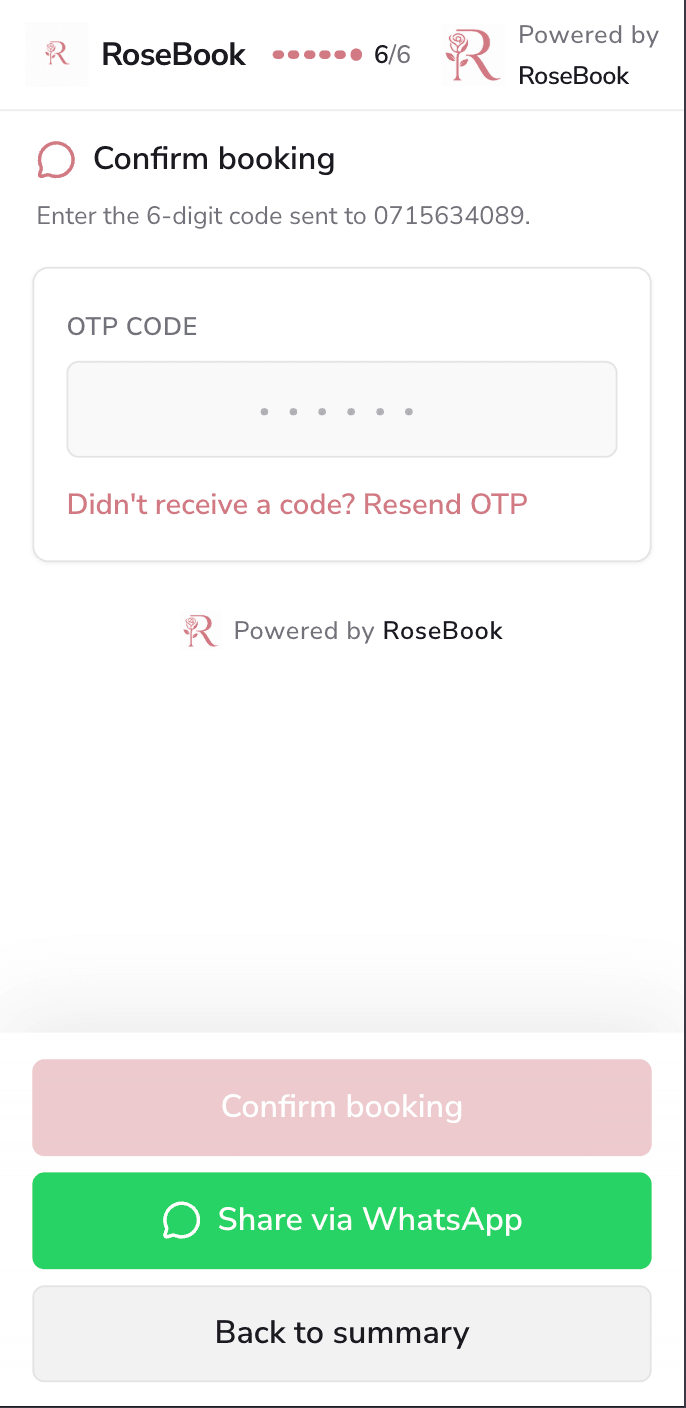
    RoseBook mobile booking confirmation page requesting a six-digit SMS verification code
  6. 6

    Visit confirmed

    The client keeps every visit detail in one place
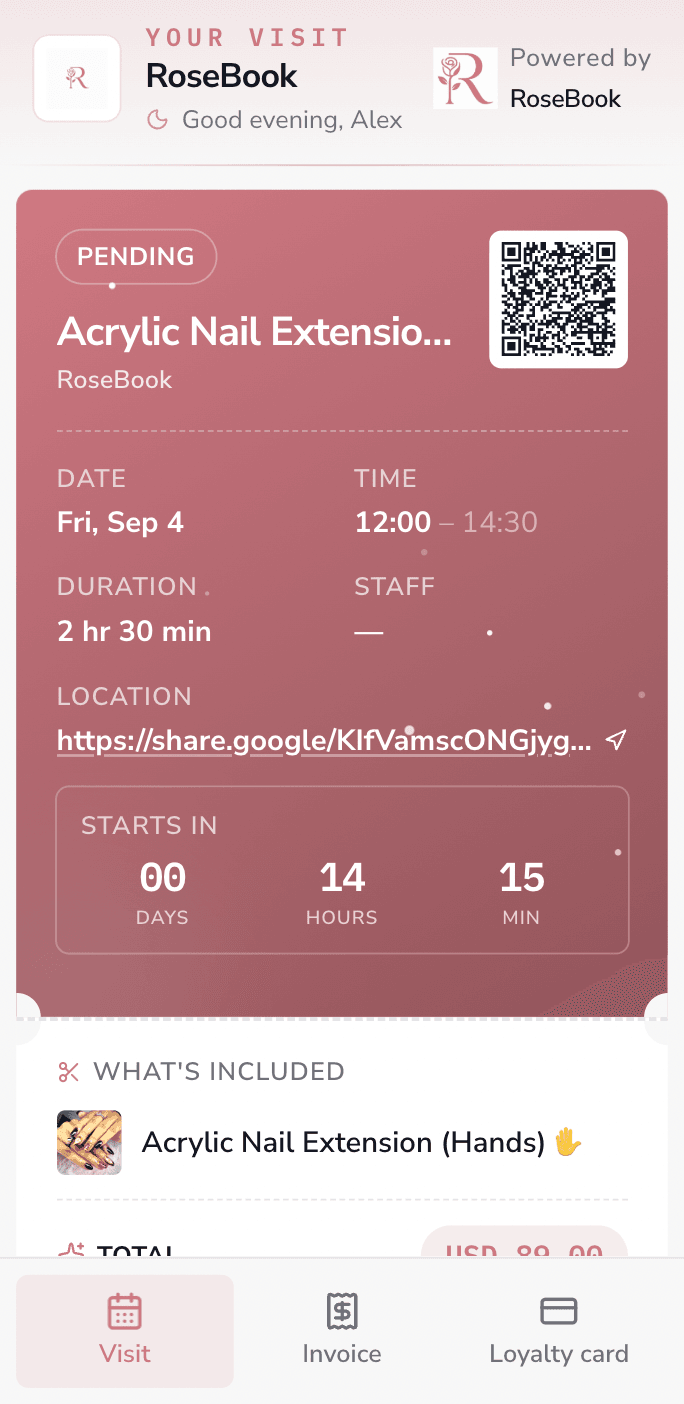
    RoseBook confirmed visit pass with service, date, time, location and QR code

Responsive by design

The same clear journey on desktop

Customers booking from a laptop get more room to review services and helpful add-ons, while the flow and pricing stay consistent across every screen.
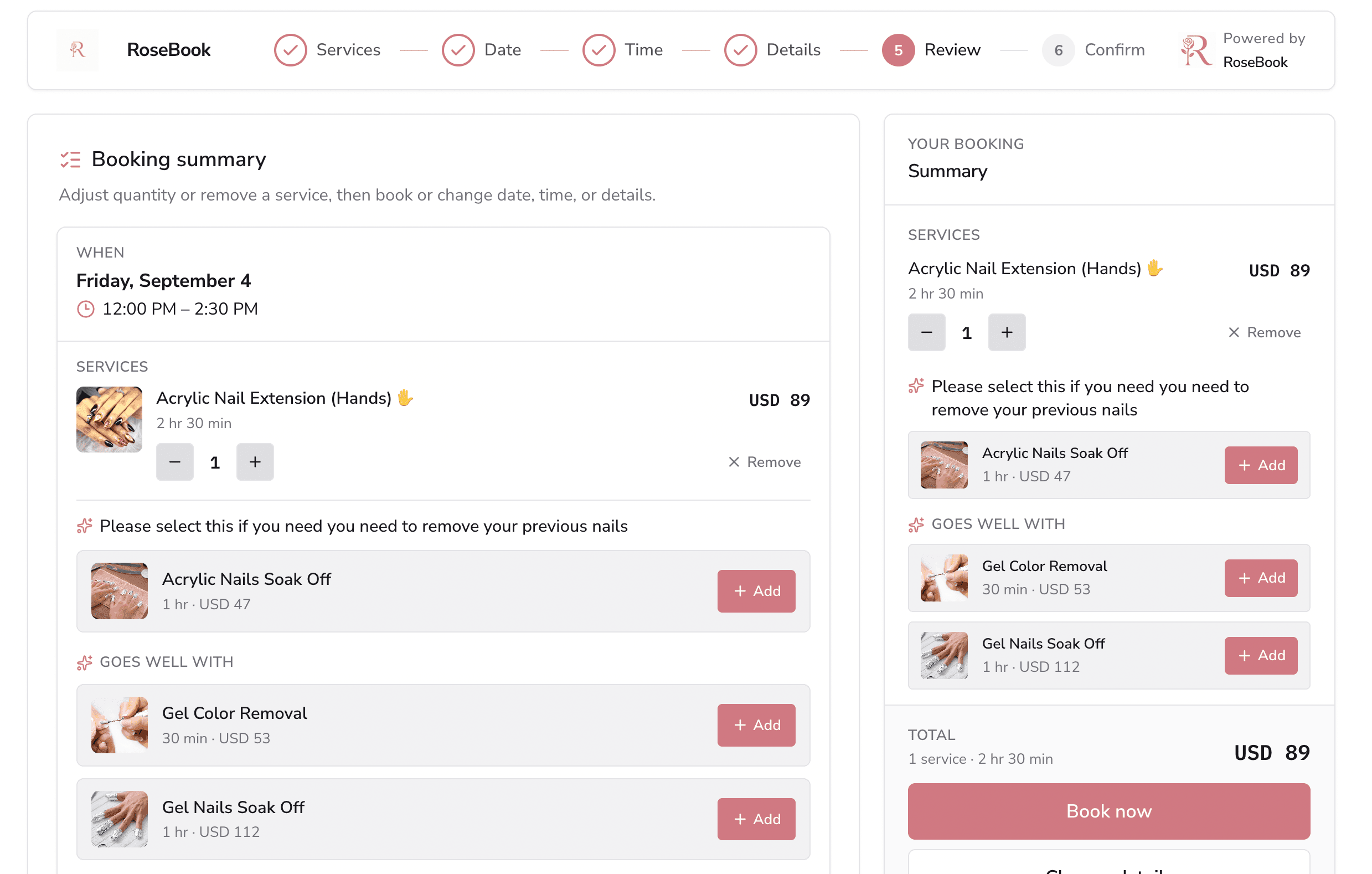
  • Live dates and appointment times
  • Transparent service totals and durations
  • Relevant add-ons presented before confirmation
RoseBook desktop booking summary showing the selected appointment, service, add-ons and total
Booking review on desktop

How it works

From salon setup to end-of-day review in seven steps

A clear operating path for salon owners: configure the salon, publish the menu, fill the book, run the floor, take payment, then see exactly how the day performed.
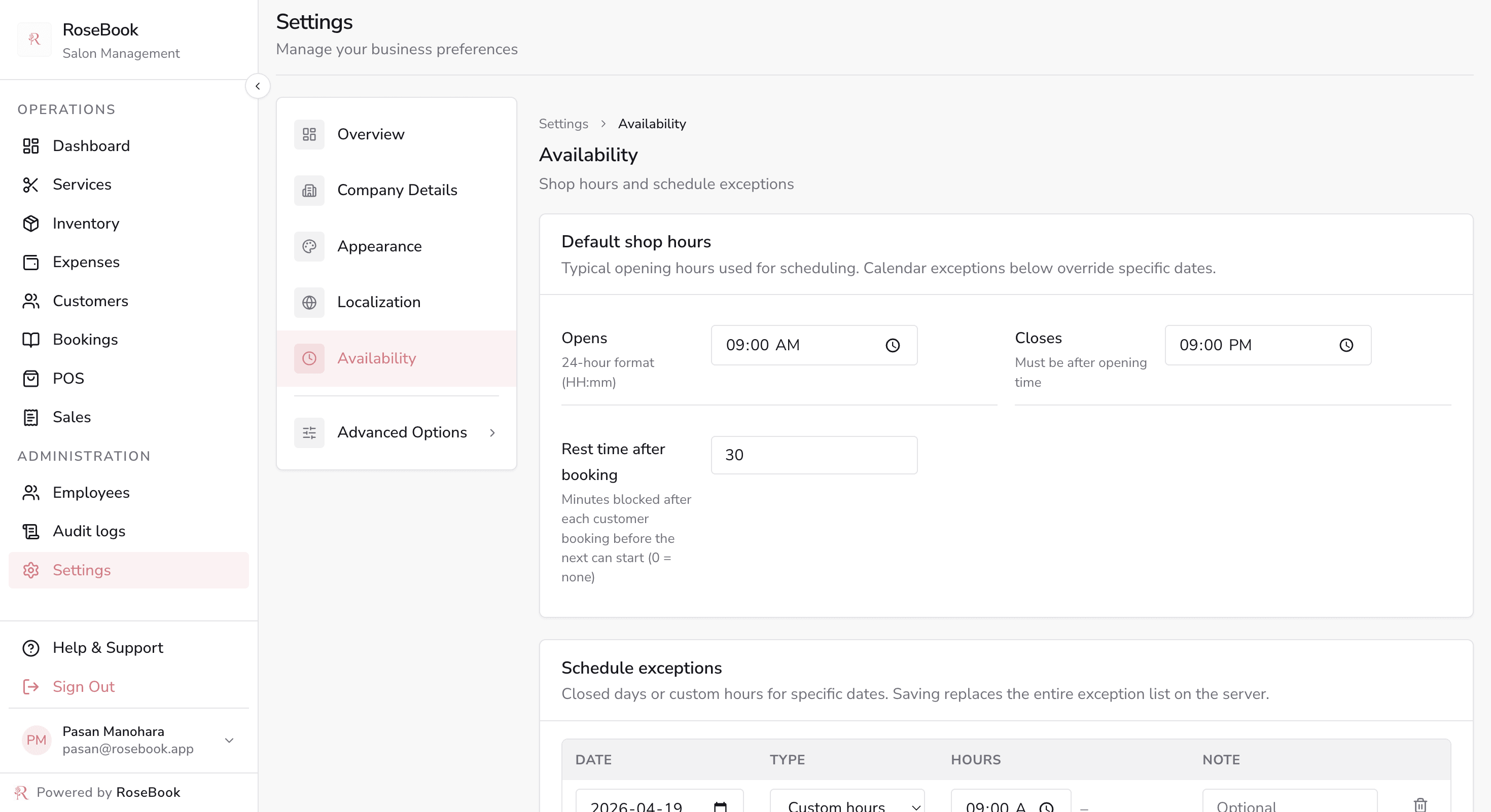
  1. Hours · Opening hours and date exceptions
    RoseBook availability settings with default shop hours and schedule exceptions for specific dates

    1. Set up

    Settings

  2. Services · Live salon menu with prices and durations
    RoseBook services page with grouped treatments, prices, durations and staff assignments

    2. Build the menu

    Services

  3. Staff · Who can perform which services
    RoseBook employees page assigning services to a stylist from the salon menu

    3. Add the team

    Staff

  4. Calendar · The shared salon appointment book
    RoseBook bookings calendar for September with colour-coded appointment statuses and the selected day's appointments

    4. Fill the book

    Appointments

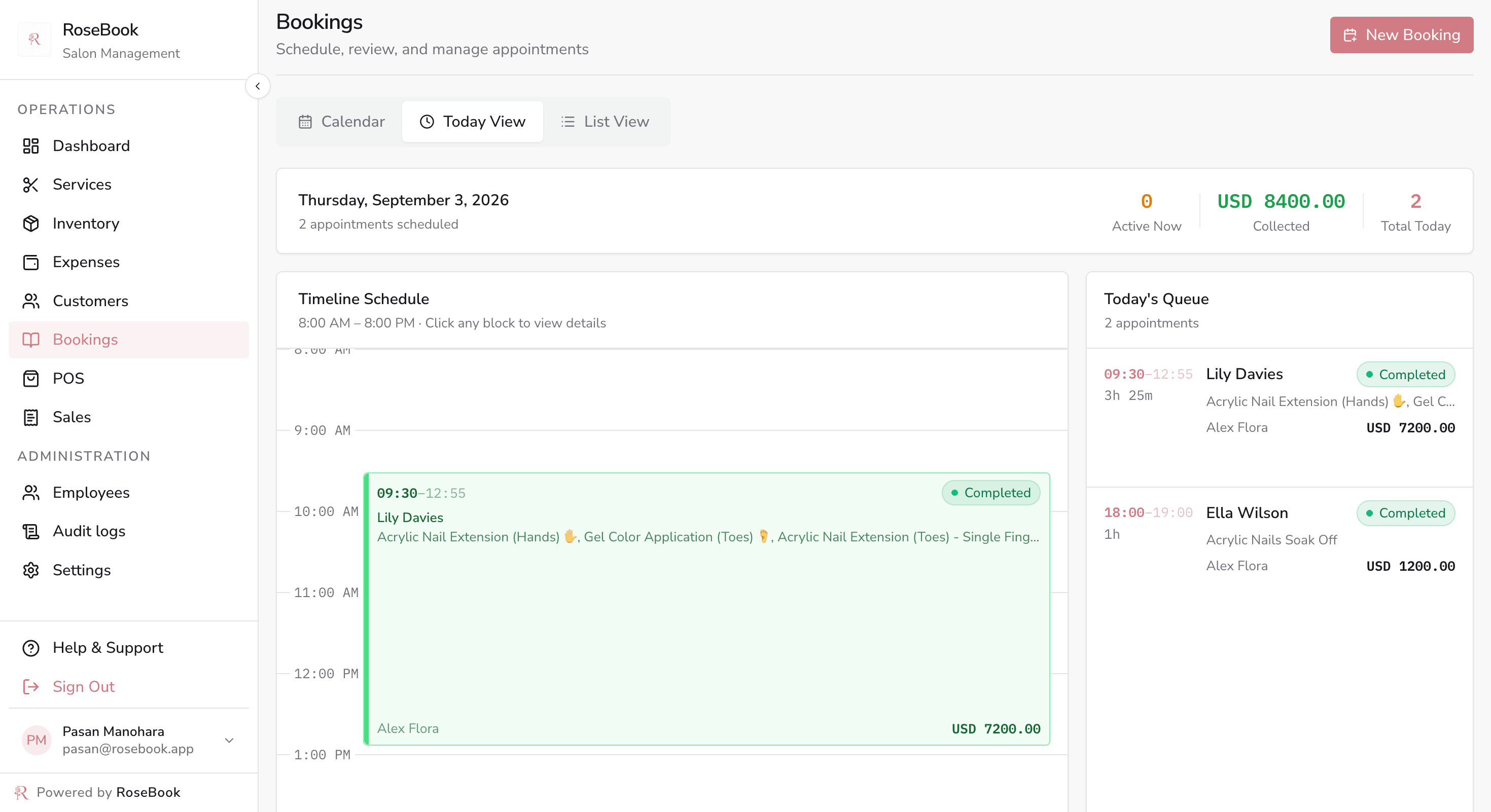
  5. Today · Today's timeline and queue
    RoseBook today view showing a timed appointment schedule, live queue and collected totals for the day

    5. Run the day

    Today view

  6. POS · Services and retail on one bill
    RoseBook point of sale with a searchable service grid, cart, discounts, tax and checkout total

    6. Take payment

    POS & sales

  7. Reports · Weekly revenue against expenses
    RoseBook weekly revenue and expenses bar chart comparing income and costs week by week

    7. Review

    Reports

  1. 1

    Set up

    Settings

    Add salon details, opening hours, currency and branding once.

  2. 2

    Build the menu

    Services

    Group treatments with prices and durations that clients can book.

  3. 3

    Add the team

    Staff

    Invite stylists, assign services and set weekly availability.

  4. 4

    Fill the book

    Appointments

    Take bookings online, over WhatsApp or at the front desk.

  5. 5

    Run the day

    Today view

    Work today's schedule and move each client through their status.

  6. 6

    Take payment

    POS & sales

    Check out services and retail together, then issue the invoice.

  7. 7

    Review

    Reports

    Compare revenue against costs and close the day with real numbers.

Capabilities

The details salon teams rely on every day

Including public WhatsApp booking, a shareable digital price chart, and a point of sale that already knows what the client just had done.
Reports · Weekly revenue against expenses
RoseBook weekly revenue and expenses bar chart comparing income and costs week by week
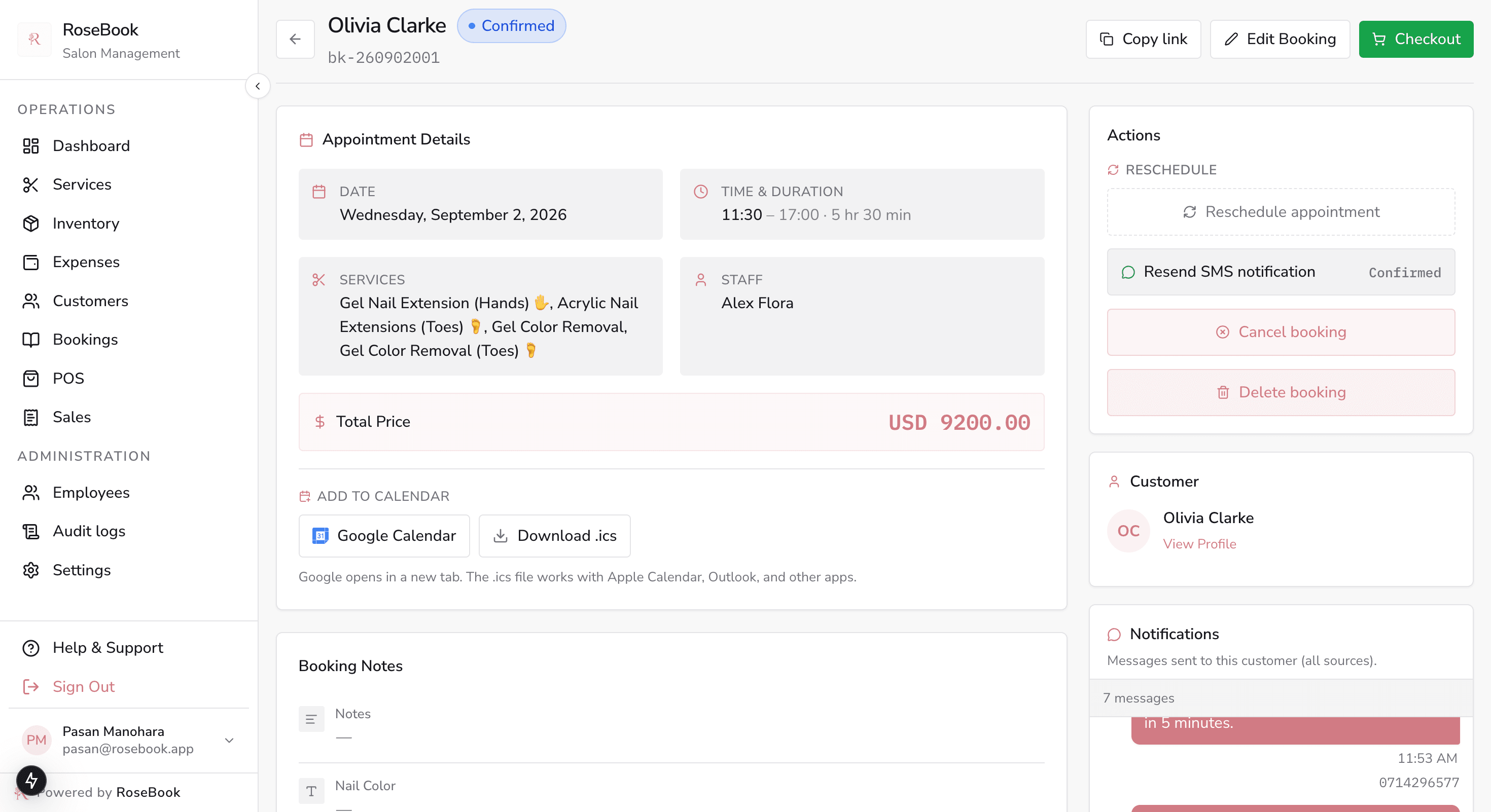
Booking · Confirm, SMS, reschedule or check out
RoseBook appointment detail with services, staff, price, SMS notifications and a checkout action
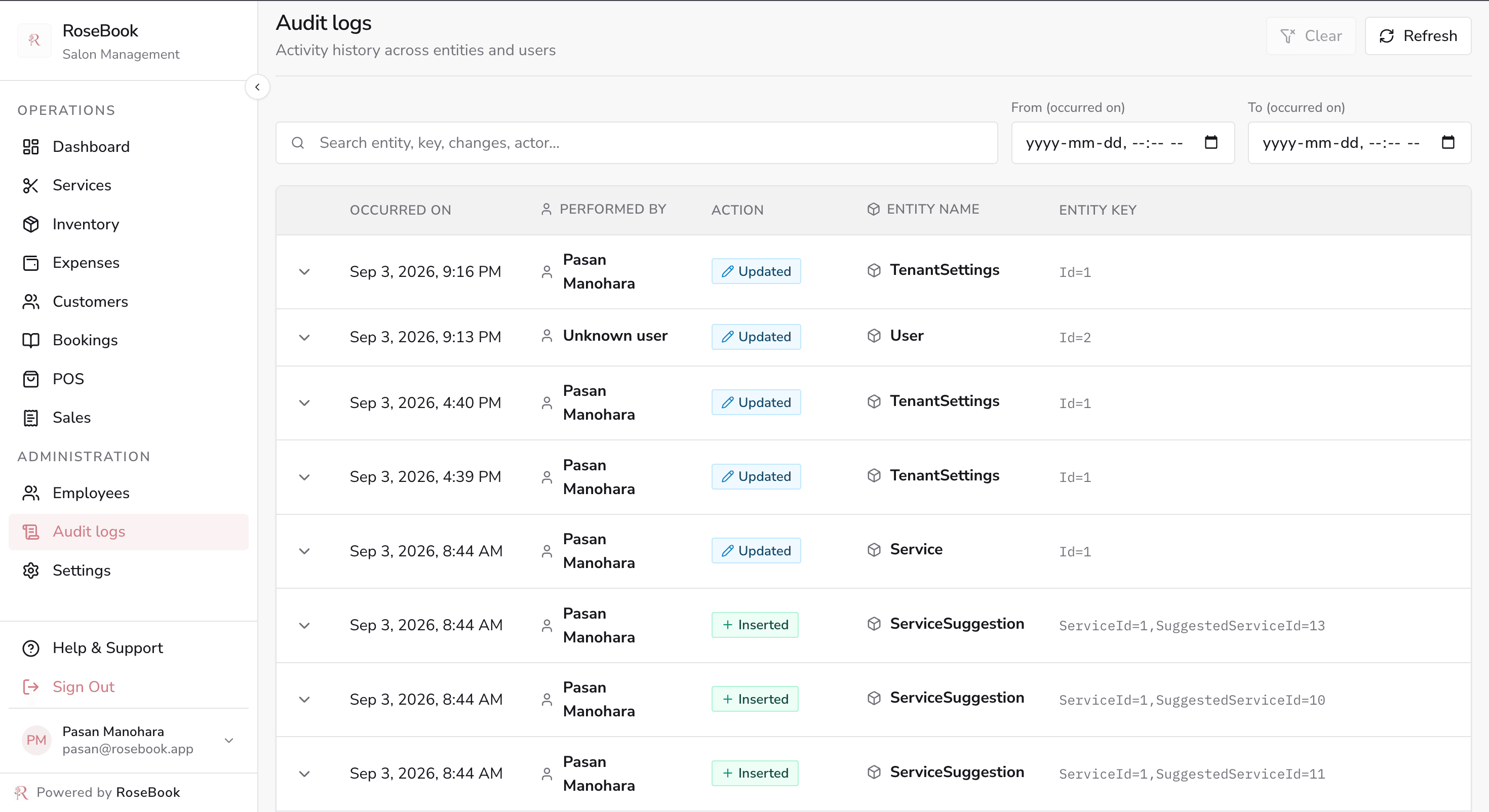
Audit · A full trail of who changed what
RoseBook audit logs listing inserts, updates and deletes across bookings, staff and services

Three ways to read the day

Calendar, today and list views so the front desk and every stylist work from the same plan.

WhatsApp booking page

Clients pick a service, date and time on your public page, then send a pre-filled WhatsApp request.

Digital price chart

A public price page rendered as a list, cards or chart — download it as an image for Instagram.

Checkout straight into POS

Complete an appointment and the point of sale opens pre-loaded, or ring up walk-ins directly.

SMS on every booking

Confirm, remind, reschedule or cancel with optional SMS, and resend from the booking thread.

Low-stock awareness

Inventory statuses roll up into dashboard alerts so colour and retail never run dry.

Stylist availability

Assign services per stylist and set daily hours so the salon book always matches real capacity.

Revenue and expenses together

Dashboard charts compare income against costs, with sales history and expenses holding the detail.

Salon settings that fit you

Company details, logo, theme colour, LKR currency, opening hours and custom note forms.

Made for Sri Lanka

Why salons across Sri Lanka choose RoseBook

Most salon booking software is designed for salons in London or New York, then priced in dollars. RoseBook is built around how Sri Lankan salons actually take bookings and get paid.

Priced and billed in LKR

Every service, invoice, expense and report is denominated in Sri Lankan Rupees — no currency conversion, no rounding surprises.

WhatsApp-first booking

Sri Lankan clients book on WhatsApp. RoseBook builds the message for them from your live service menu and availability.

Local SMS reminders

Send confirmations and reminders to Dialog, Mobitel, Hutch and Airtel numbers so fewer clients forget an appointment.

Works on the phone you own

A light, mobile-first interface that stays usable on 3G and mid-range Android handsets across the island.

Multi-location ready

Run salons in Colombo, Kandy, Galle, Negombo or Jaffna with separate teams, stock and reporting.

Support in your time zone

Onboarding and help from a Sri Lankan team, during Sri Lankan working hours, in English, Sinhala or Tamil.

Salon owners in Colombo, Dehiwala, Nugegoda, Kandy, Galle, Negombo, Kurunegala and Jaffna use RoseBook to replace paper appointment diaries with an online salon booking system their clients can reach from a phone — and to see, at the end of every day, exactly what the salon earned and spent.

Who it's for

One booking system for every kind of beauty business

If you take appointments, sell services and carry stock, RoseBook already fits the way you work.

  • Hair salons

    Cuts, colour and treatments with per-stylist rosters and formula notes.

  • Beauty parlours

    Threading, facials and bridal packages with multi-service appointments.

  • Nail studios

    Gel, acrylic and pedicure menus with technician assignment and retail.

  • Barbershops

    Fast walk-in checkout alongside a booked chair schedule.

  • Day spas

    Room and therapist availability with long-duration treatment blocks.

  • Ayurvedic centres

    Course-based treatment plans with repeat visit tracking.

  • Bridal studios

    Trial and event bookings with deposits, photos and package pricing.

  • Wellness clinics

    Client histories, consent notes and recurring appointment series.

A day in the salon

How a Colombo salon runs a full Saturday on RoseBook

The owner, front desk, stylist and client each touch a different part of the same system.

  • Maya — Salon ownerSettings, service menu, inventory, expenses and the end-of-day dashboard review
  • Priya — Front deskAppointments, client profiles, new bookings and checkout into the point of sale
  • Lina — Senior stylistToday's schedule on the dashboard and her own chair in the appointments view
  • Aisha — ClientPublic booking page on WhatsApp and the shareable digital price chart

Rose & Co Salon, from open to close

Maya sets the salon details, opening hours and her colour-and-treatment menu in services. She adds Lina and the rest of the team with weekly availability, then records colour tubes and retail stock in inventory.

Priya lives in the appointment book all day — confirming bookings, moving statuses along and keeping client profiles current. When a chair frees up she pushes the booking to checkout; walk-ins go straight into the point of sale.

Lina checks today's schedule on the dashboard and marks each service in progress or completed as clients arrive. Aisha browses the digital price chart, then books her colour appointment over WhatsApp without calling the salon.
  1. 1Maya sets up the salon, service menu and opening hours before the week starts.
  2. 2Priya fills the appointment book; automatic SMS keeps every client informed.
  3. 3Lina works her chair from today's schedule and updates each booking status.
  4. 4Checkout flows into the POS and sales, while expenses close the loop at night.
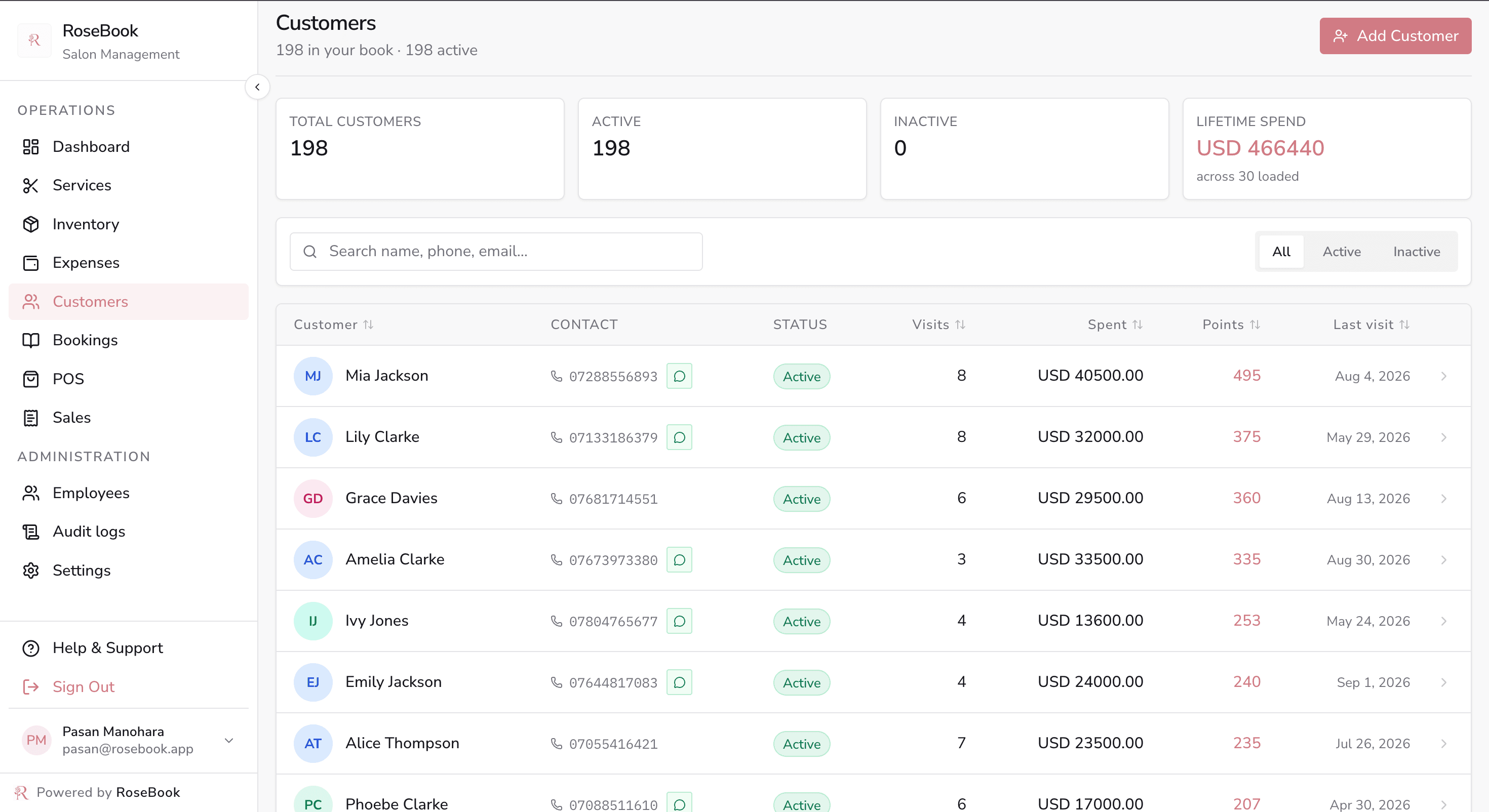
Clients · Client book with visit history and spend
RoseBook customers page with a searchable client list and a selected profile showing visits, spend, loyalty points and history
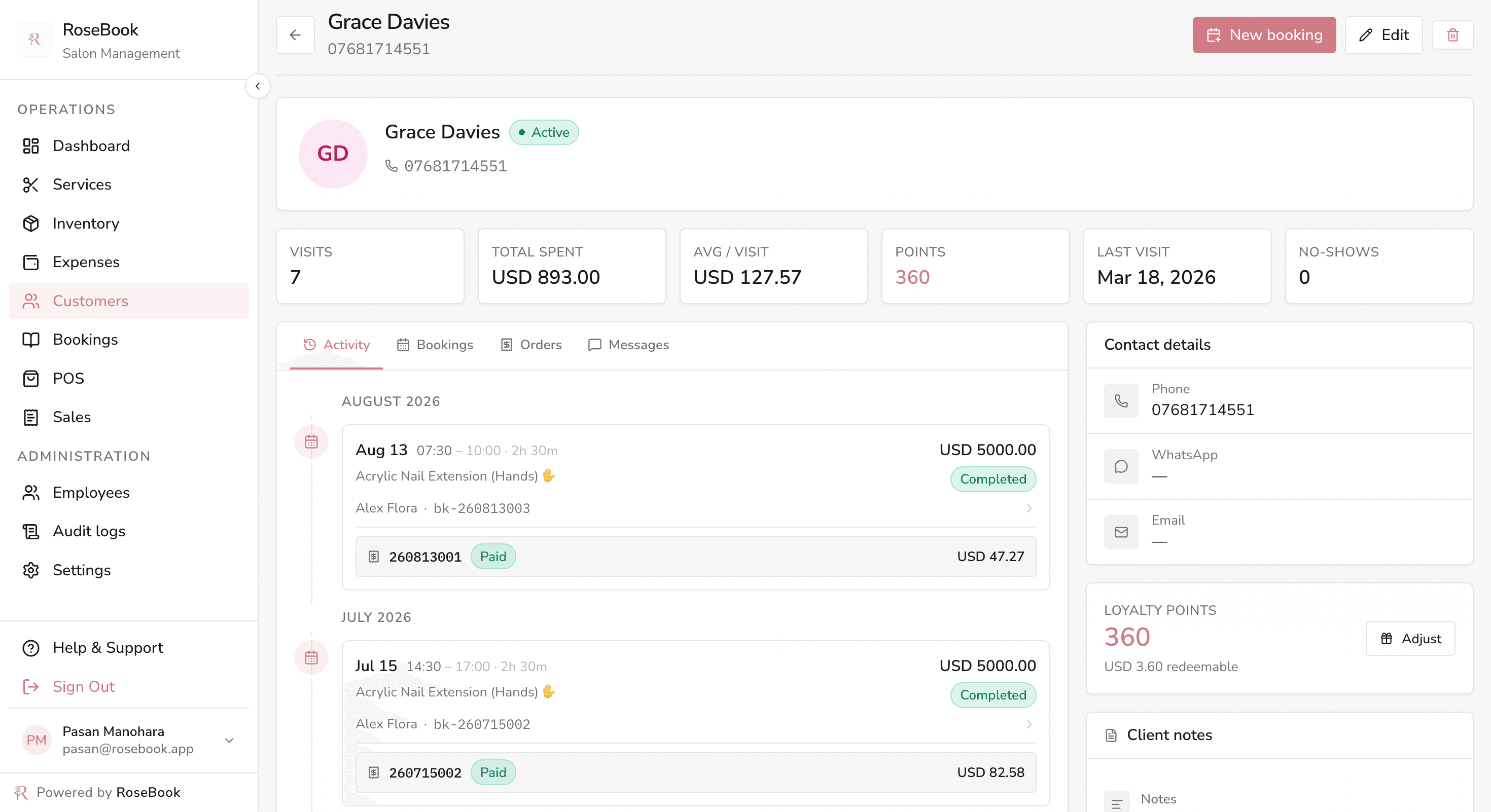
History · Visit notes and before-and-after photos
RoseBook customer history with a visit timeline, booking notes and attached after photos

FAQ

Salon software questions, answered

What salon and spa owners in Sri Lanka ask us most often before they switch.

What is the best salon software in Sri Lanka?

RoseBook is built specifically for Sri Lankan salons, spas and barbershops. It combines online appointment booking, a client database, stylist rosters, inventory and LKR point-of-sale billing in one system, with WhatsApp booking and local SMS reminders that Sri Lankan clients already use every day.

How does salon booking software work?

You publish your service menu, prices and staff availability once. Clients then choose a service, date and time on your public booking page, and the appointment lands directly in your salon calendar. Your team confirms it, sends an SMS reminder, and checks the client out through the point of sale when the service is finished.

Can clients book salon appointments online or on WhatsApp?

Yes. RoseBook gives every salon a public booking page and a shareable digital price chart. Clients pick their service and preferred slot, then send a pre-filled WhatsApp booking request or submit the booking directly — no app download required.

Does RoseBook handle billing and payments in Sri Lankan Rupees?

Yes. The point of sale works entirely in LKR. You can sell services and retail products on one bill, apply discounts and tax, accept cash, card or digital payments, print an invoice, and optionally send the receipt by SMS.

Can I manage more than one salon branch?

Yes. Each location can keep its own team, service menu, stock and reporting, while owners see performance across every branch from a single dashboard.

Do I need to install anything to use this salon management software?

No. RoseBook runs in any modern web browser on a phone, tablet or desktop, so your front desk, stylists and owners can all work from the devices they already have.

How does RoseBook reduce salon no-shows?

Every appointment carries a status and an SMS thread. Automatic confirmations and reminders reach the client before the visit, and rescheduling takes one tap instead of a phone call, which measurably reduces missed appointments.

Is my salon and client data secure?

Yes. Access is role-based, so stylists, managers and owners each see only what they need. Every change to bookings, stock and sales is recorded in an audit log you can review at any time. How we collect, use and share personal data is explained in our Privacy Policy at https://dev.rosebook.lk/privacy-policy.

Ready to run your salon from one place?

Set up your salon settings, service menu and team in an afternoon, then take your first online booking the same day.